Connect Perplexity to Voluum with MCP

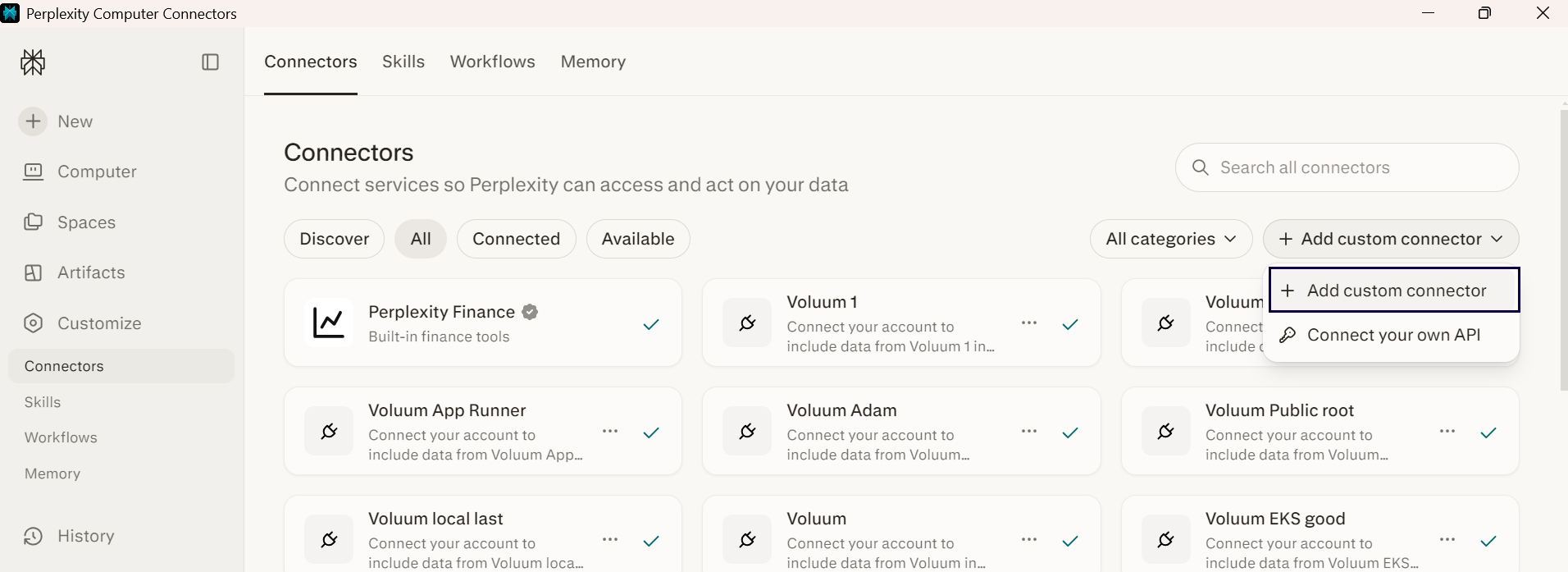
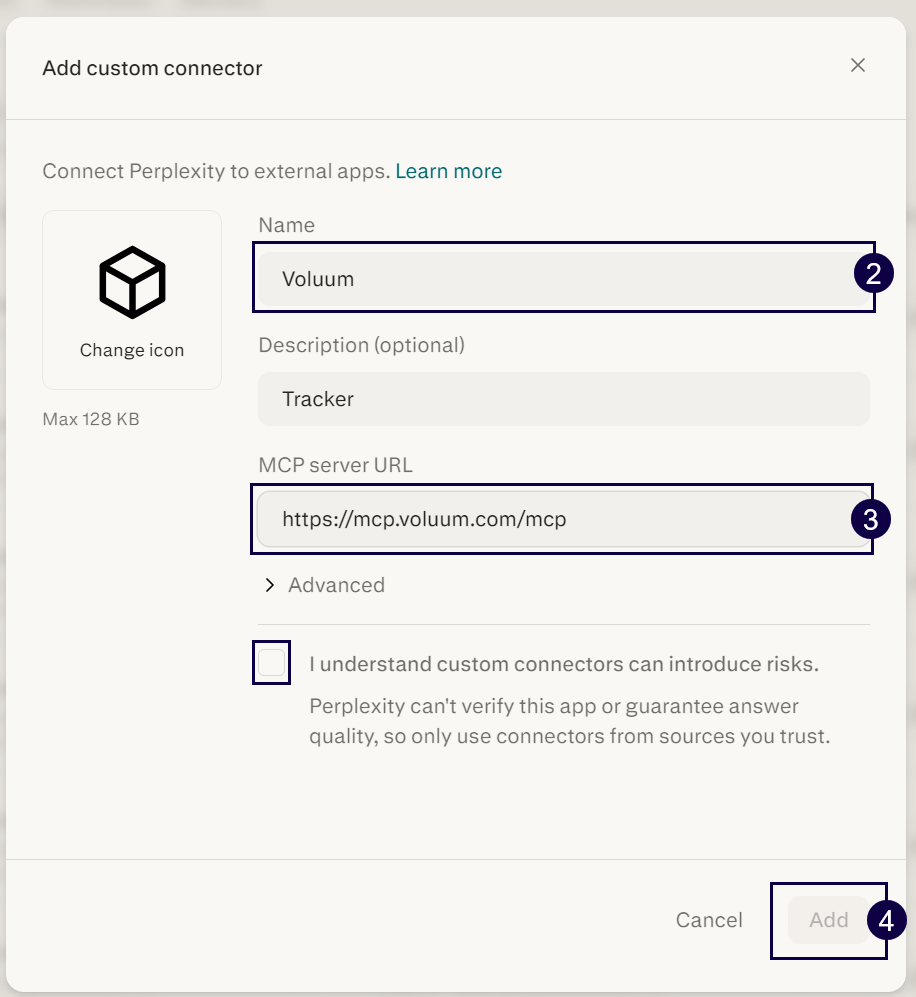
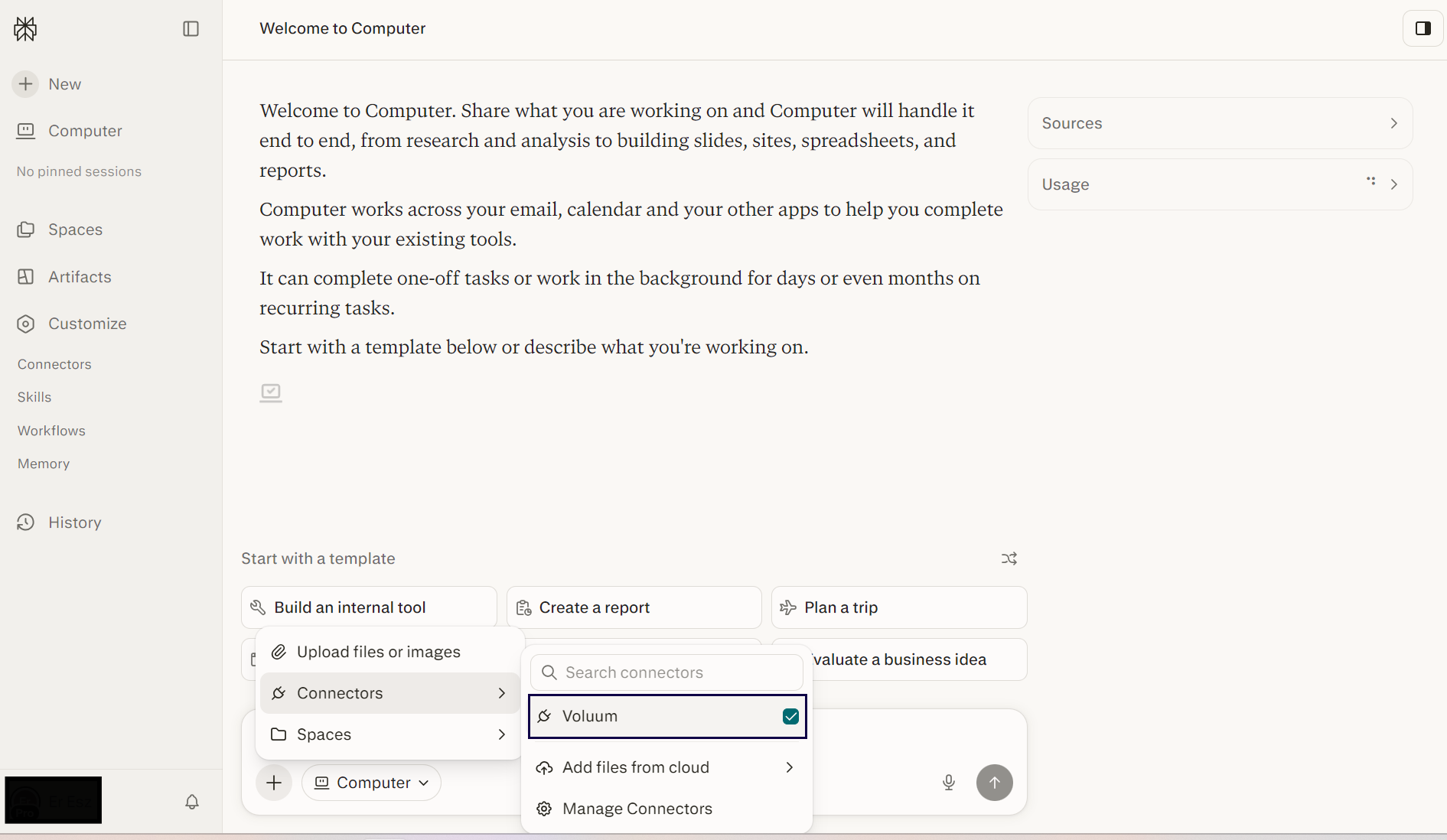
This article shows how to connect Perplexity to Voluum with MCP.
Voluum Note: Perplexity supports MCP only on paid plans.

This article shows how to connect Perplexity to Voluum with MCP.
Voluum Note: Perplexity supports MCP only on paid plans.