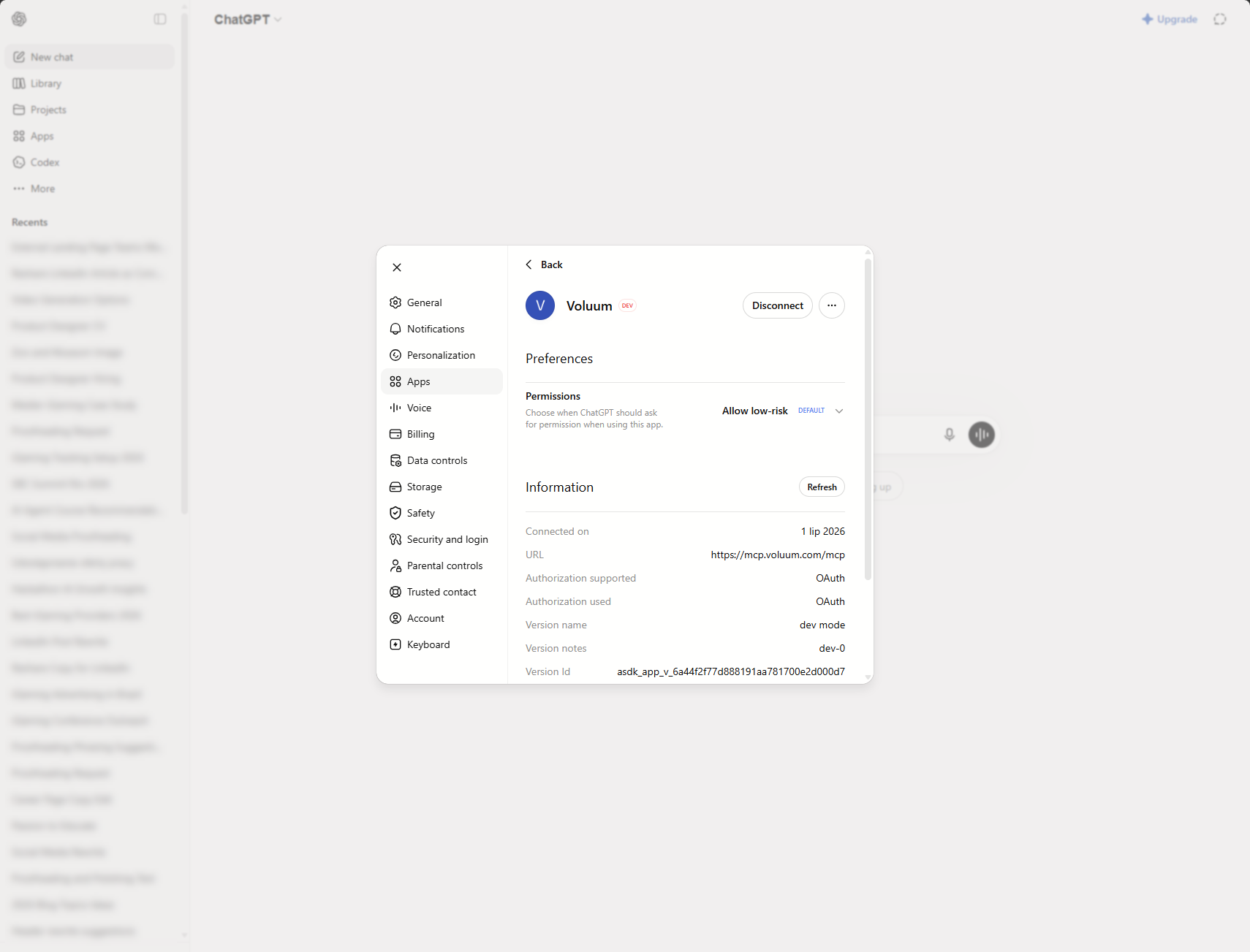
Connect ChatGPT to Voluum with MCP

This document provides instructions o how to connect ChatGPT to Voluum MCP.
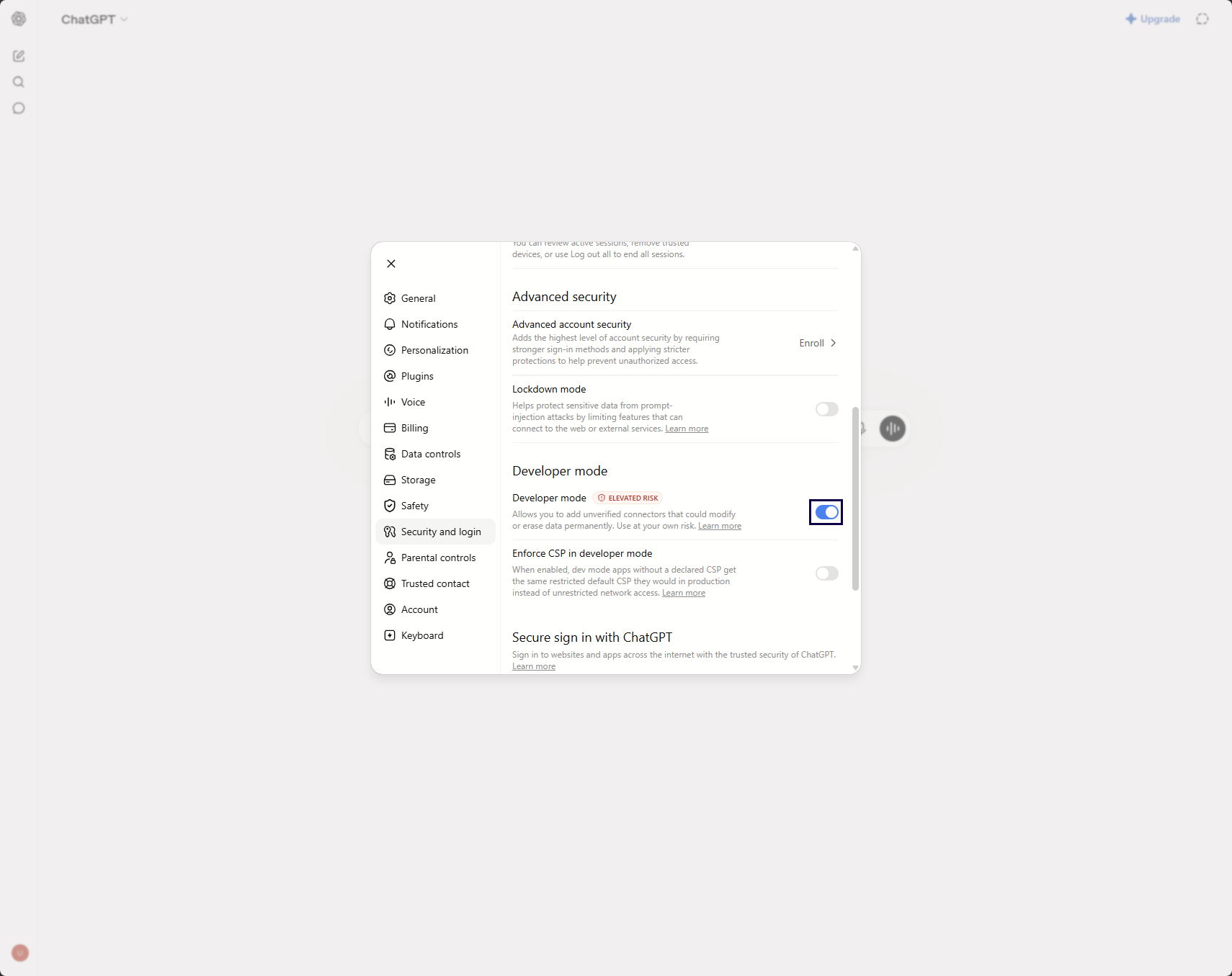
- In ChatGPT, go to Setting / Login and Security and enable the Developer mode radio button.
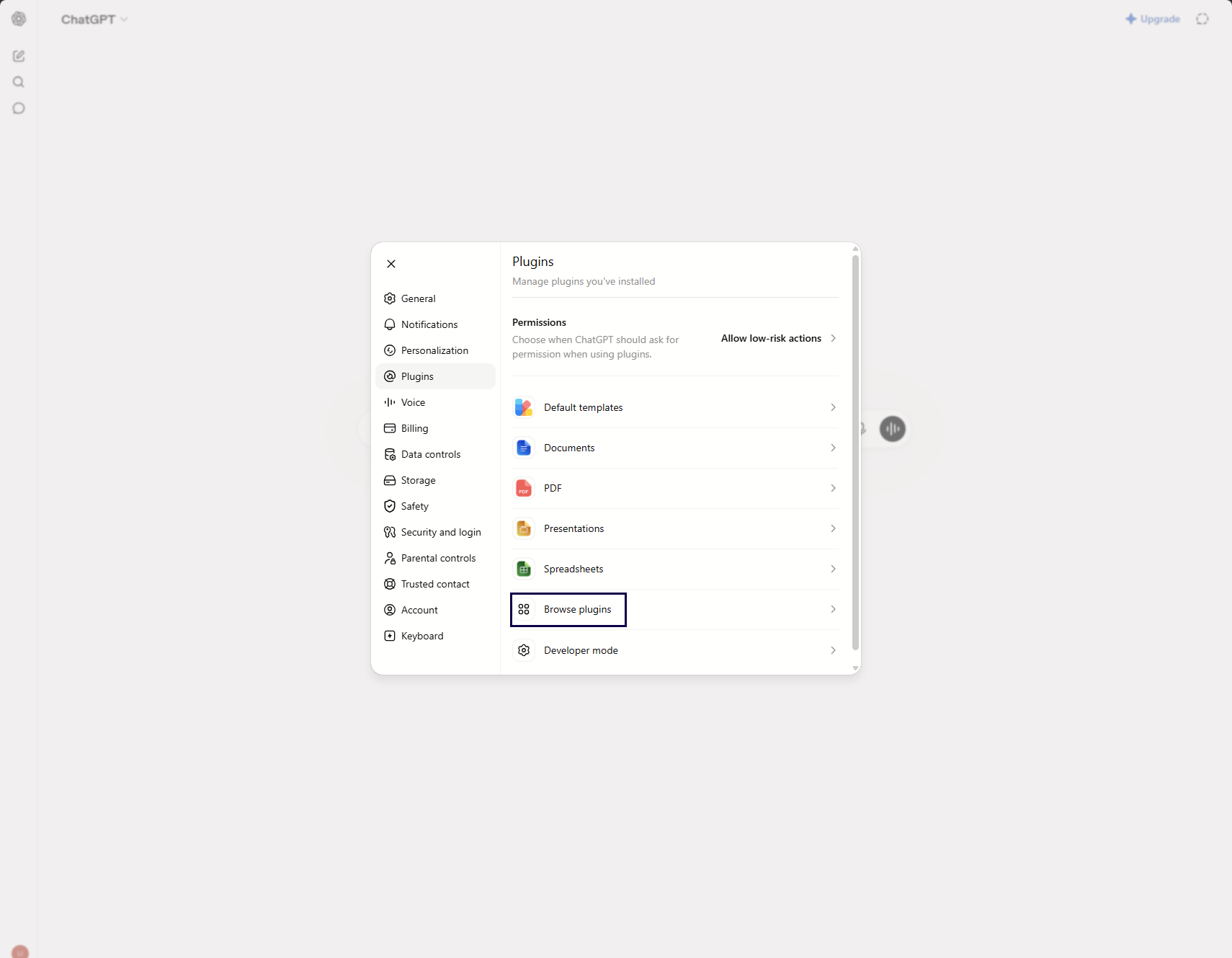
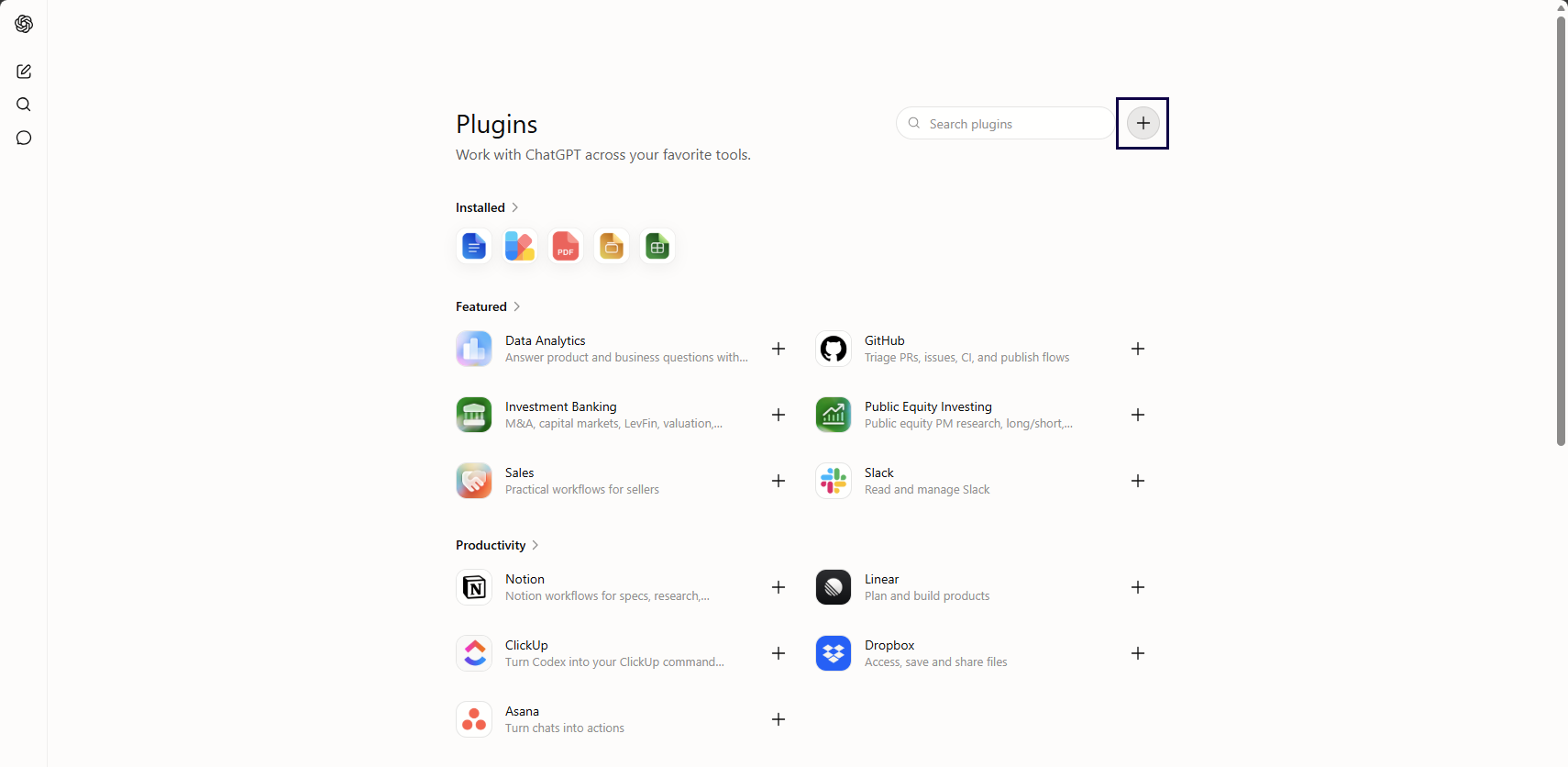
- Go to Plugins and click Browse plugins.
- Click the plus sign to add a new plugin.
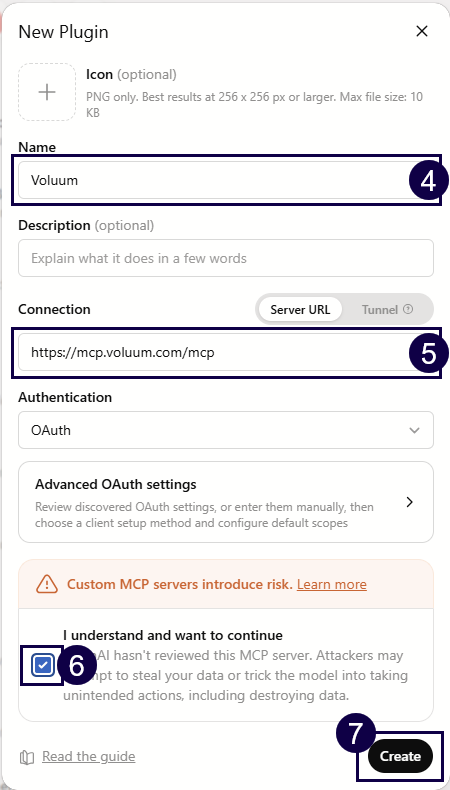
- Name your integration.
- Provide the following URL to the Connection field:
https://mcp.voluum.com/mcp - Tick the box that you understand the risks of connecting unreviewed server.
- Click Create.
- Click Sign in to Voluum.
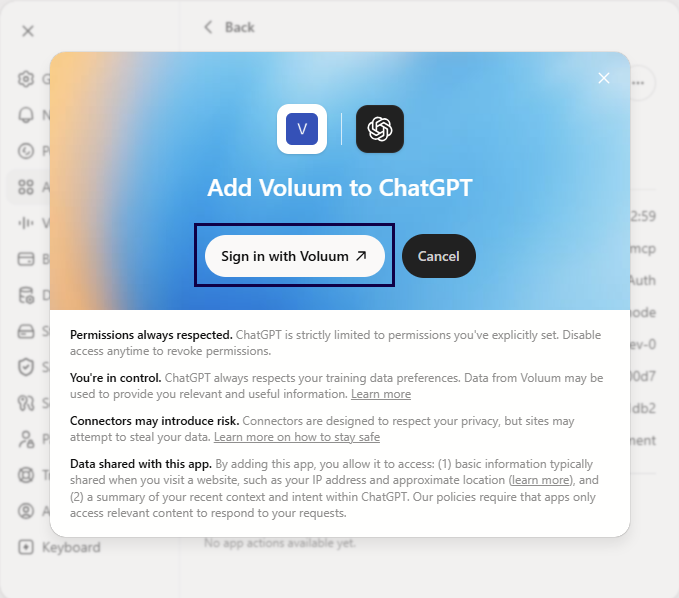
- Log in to Voluum.
- Review integration settings and click Authorize.
- Your accounts are now integrated.